
Video Conferencing System Price in Bangladesh
Looking for the latest Video Conferencing System price in Bangladesh? Prices depend on brand, capacity and features. Browse the range below and ask Verbex Bangladesh for a quotation on the products you need.
Compare available Verbex video conferencing equipment by verified camera resolution, field of view, microphone coverage, speaker performance, connectivity, platform compatibility, installation requirements, and meeting room size.
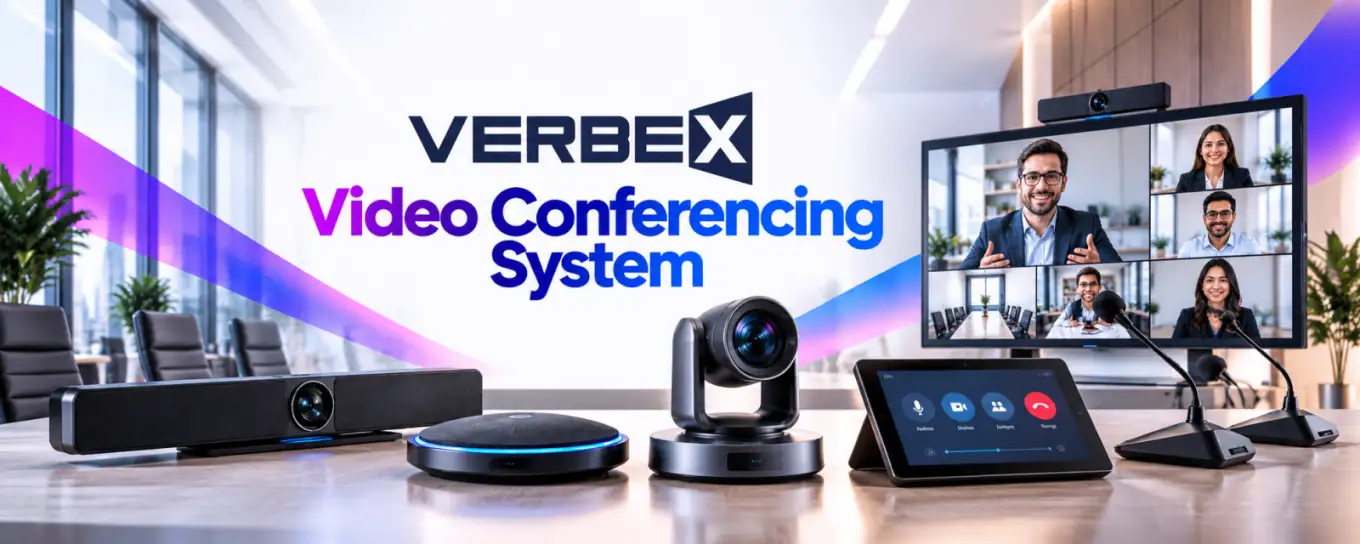
Verbex Video Conferencing System: Professional Meeting Room Cameras, Audio Solutions, and Hybrid Collaboration Technology
Video conferencing has become an important part of modern business communication. Organizations use online meetings to communicate with remote employees, international clients, suppliers, students, and project teams.
A successful meeting depends on more than a stable internet connection. Participants must be able to see and hear each other clearly, share information effectively, and interact without unnecessary technical interruptions.
A professional video conferencing system can bring together cameras, microphones, speakers, displays, and compatible conferencing software to create a more organized meeting environment.
Verbex Video Conferencing System is a product category for customers exploring professional meeting room audio-video equipment and integrated communication solutions.
The performance of any solution depends on the selected hardware, software compatibility, room acoustics, network conditions, and installation quality.
What Is a Video Conferencing System?
A video conferencing system enables participants in different locations to communicate using live video and audio.
A typical meeting room setup may include a conference camera, microphones, loudspeakers, display equipment, and a computer or dedicated conferencing processor.
The system captures video and speech from local participants and transmits them through a compatible conferencing application or service.
Remote participants' video and audio are reproduced in the meeting room.
The exact equipment required depends on the room and conferencing platform.
How Does Video Conferencing Work?
A camera captures images of participants in the meeting room.
Microphones capture their voices and convert the sound into electronic signals.
A conferencing computer or compatible processing device prepares the audio and video for transmission.
The conferencing platform exchanges the media over a network.
Remote participants receive the video and audio through their own devices.
Network performance, device processing, and software configuration all affect the meeting experience.
Main Components of a Professional Video Conferencing System
A professional solution may include a USB conference camera, PTZ camera, video bar, microphone array, speakerphone, external speakers, display, and meeting room computer.
Some systems integrate several functions into one device.
Others use separate equipment for greater installation flexibility.
Additional accessories may include mounting brackets, control panels, extension cables, and network equipment.
Not every installation requires every component.
Why Choose Professional Video Conferencing Equipment?
Built-in laptop cameras and microphones may be sufficient for individual calls.
However, larger meeting rooms create different challenges.
Participants may sit at varying distances from the camera and microphone.
Room reflections, background noise, and seating arrangements can affect communication.
Professional equipment can be selected to address these requirements.
The correct system should match the room rather than simply offer the highest advertised specifications.
Small Meeting Room Solutions
Small meeting rooms and huddle spaces usually have limited seating capacity.
A compact conference camera or integrated video bar may suit some installations.
Microphone pickup should cover the expected seating positions.
The camera should provide a suitable field of view without excessive distortion.
Simple connectivity and operation are particularly valuable in frequently used meeting spaces.
Medium Conference Room Systems
Medium-sized conference rooms may require broader camera coverage and more carefully positioned microphones.
Participants sitting at the ends of a conference table should remain visible and audible.
A suitable system may use a PTZ camera, integrated conference bar, or distributed microphones.
Equipment selection should consider seating layout, room dimensions, and conferencing software.
Large Boardroom Solutions
Large boardrooms often require more complex audio-video planning.
Long tables and distant seating positions can create microphone coverage challenges.
Multiple microphones or specialized microphone arrays may be appropriate.
Camera positioning is also important.
Some systems support multiple cameras or advanced control functions, but these features must be verified.
A professional AV design can help avoid coverage gaps.
Conference Camera Resolution
Camera resolution describes the number of pixels used to capture an image.
Common video conferencing equipment may support different resolution formats.
Higher resolution can provide more visual detail under suitable conditions.
However, effective video quality also depends on lighting, image processing, lens quality, network bandwidth, and conferencing platform limitations.
Customers should verify the actual supported resolution and frame rate.
Field of View
Field of view describes how much of a room the camera can capture.
A wide-angle camera may help include participants sitting close to the display.
A narrower field of view may suit longer-distance framing.
Very wide views can introduce perspective distortion.
The best choice depends on room geometry and participant positions.
PTZ Conference Cameras
PTZ stands for pan, tilt, and zoom.
A PTZ camera can change its viewing direction and framing through compatible controls.
Such cameras may be useful in larger meeting rooms or presentation environments.
Control methods and zoom specifications vary by model.
Not every conference camera supports PTZ.
Auto Framing and Speaker Tracking
Some advanced conferencing cameras provide automatic framing.
This may allow the camera to adjust its composition based on detected participants.
Other systems may support active-speaker tracking.
These functions depend on specific hardware and software capabilities.
Their accuracy can vary with lighting, seating arrangements, and room conditions.
They should not be assumed available on every Verbex model.
Conference Microphones
Clear speech pickup is essential for effective meetings.
Conference microphones may be integrated into a video bar, built into a speakerphone, or installed as separate tabletop or ceiling units.
Microphone selection should consider pickup range, directionality, and room acoustics.
A single microphone may not provide consistent coverage for a long conference table.
Microphone Arrays and Beamforming
A microphone array combines multiple microphone elements.
Some arrays use beamforming to emphasize sound arriving from selected directions.
This may help improve speech pickup under suitable conditions.
However, performance depends on microphone design, processing, placement, and acoustic conditions.
Beamforming support should be verified from product documentation.
Echo Cancellation
Acoustic echo can occur when sound from a room's loudspeakers is captured again by its microphones.
This can cause remote participants to hear their own voices repeated.
Acoustic echo cancellation helps reduce this problem.
Some conferencing devices and software platforms include echo cancellation.
System integration and correct audio routing remain important.
Noise Reduction
Meeting rooms may contain air-conditioning noise, keyboard sounds, and other background disturbances.
Some audio systems use noise reduction to improve speech clarity.
However, aggressive processing can sometimes affect natural voice quality.
The best results depend on suitable microphone placement, room conditions, and well-configured processing.
Conference Speakers and Speakerphones
Meeting room loudspeakers reproduce the voices of remote participants.
A speakerphone combines microphone and loudspeaker functions in one device.
Integrated solutions may be practical for smaller rooms.
Larger rooms may require separate loudspeakers for consistent coverage.
Speaker placement should avoid excessive microphone pickup and uncomfortable listening levels.
Video Conferencing Bars
A video conferencing bar combines multiple audio-video functions in a compact enclosure.
Depending on the model, it may integrate a camera, microphones, loudspeakers, and processing.
Video bars can simplify installation in suitable rooms.
However, features such as standalone conferencing, USB connectivity, and built-in software vary.
Customers should review the exact product specifications.
Display and Monitor Integration
Displays allow in-room participants to view remote attendees and shared content.
Display size should match the room and viewing distance.
Some installations use a single display.
Others use dual displays for participants and presentation material.
The conferencing hardware must support the intended display arrangement.
Screen Sharing and Presentations
Business meetings frequently involve slides, documents, and demonstrations.
Screen sharing is usually provided by the conferencing software or compatible room system.
Some equipment also supports wired or wireless content sharing.
These capabilities depend on the selected platform and hardware.
Users should verify resolution, latency, connection requirements, and security controls.
Hybrid Meeting Solutions
A hybrid meeting includes participants physically present in a room and others joining remotely.
A good hybrid setup should make both groups feel included.
Camera framing, microphone coverage, speaker placement, and display positioning all matter.
Remote participants should be able to follow the discussion without struggling to hear people at the far end of the table.
Video Conferencing for Corporate Offices
Corporate organizations use video meetings for project coordination, management discussions, client communication, and remote collaboration.
A consistent room setup can reduce technical difficulties.
Standardized equipment may also simplify staff training and maintenance.
Organizations should consider platform compatibility, user experience, and IT support requirements.
Video Conferencing for Schools and Universities
Educational institutions use video conferencing for remote lectures, academic collaboration, training, and administrative meetings.
Classroom systems may require wider camera coverage or better teacher audio pickup.
Lecture capture and online teaching can involve additional requirements.
A meeting room solution is not automatically a complete classroom recording system.
Video Conferencing for Government and Institutions
Government offices and public institutions may require reliable communication between departments and locations.
Equipment selection should consider ease of operation, privacy, accessibility, and procurement requirements.
Sensitive meetings may need additional security controls.
Platform compatibility and data-handling policies should be reviewed before deployment.
Video Conferencing for Hospitals
Healthcare facilities may use video conferencing for administrative meetings, staff training, and suitable remote consultations.
However, healthcare communication can involve sensitive information.
Privacy requirements, access controls, and approved platforms must be considered.
Ordinary conferencing equipment should not be assumed compliant with healthcare regulations without verification.
Microsoft Teams and Zoom Compatibility
Microsoft Teams and Zoom are widely used conferencing platforms.
Some room devices are designed or certified for particular platforms.
Others may operate through compatible USB audio-video interfaces.
Compatibility and certification are different concepts.
Customers should confirm supported operating systems, software versions, device modes, and official certification where required.
USB, HDMI, and Network Connectivity
Video conferencing equipment may use USB, HDMI, Ethernet, or other connection methods.
USB is often used for cameras and audio peripherals.
HDMI commonly carries video to a display.
Ethernet may support network-based devices or conferencing systems.
Connector presence alone does not establish compatibility.
The required connection architecture should be confirmed before installation.
Internet Bandwidth and Network Quality
Stable network connectivity is important for video meetings.
Available bandwidth, latency, packet loss, and network congestion can affect audio and video.
Higher-resolution meetings may require greater network resources.
Actual requirements depend on the conferencing platform and selected video settings.
Organizations should test the network under realistic operating conditions.
Room Lighting and Camera Placement
Good lighting can significantly improve meeting video quality.
Participants should be visible without strong backlighting.
Camera placement should create natural eye-level framing where practical.
Reflections from windows and bright displays should be considered.
Even a high-resolution camera may perform poorly in an unsuitable lighting environment.
Room Acoustics
Hard walls, glass surfaces, and long tables can create sound reflections.
These reflections may reduce speech clarity.
Carpets, curtains, acoustic panels, and other suitable treatments can improve some rooms.
Microphone positioning should also reflect the acoustic environment.
Audio quality is a combination of equipment performance and room design.
Privacy and Cybersecurity
Video conferencing systems may handle sensitive conversations and business information.
Organizations should use appropriate access controls and approved conferencing platforms.
Firmware updates, administrative permissions, meeting access settings, and network security are important.
Features such as encryption or centralized device management must be verified for the specific product and platform.
Installation and Configuration
A professional installation begins with assessing the room.
The installer should identify camera positions, microphone coverage, display requirements, cable routes, and network connections.
Devices should be configured for the intended conferencing platform.
Audio and video should be tested from both local and remote participant perspectives.
Maintenance and Troubleshooting
Routine maintenance can help reduce meeting interruptions.
Check camera lenses, microphones, speakers, cables, and mounting hardware.
Confirm that supported firmware and software versions remain compatible.
Test audio pickup and playback periodically.
Document configuration settings for future troubleshooting.
How to Choose the Right Verbex Video Conferencing System
Start with room size, seating capacity, and the primary conferencing platform.
Determine whether the project needs a compact video bar, separate camera and microphones, or a larger integrated AV solution.
Compare verified camera resolution, field of view, microphone coverage, speaker output, connectivity, and platform support.
Consider installation complexity, maintenance, privacy, and future expansion.
Why Explore Verbex Video Conferencing Systems?
Verbex Video Conferencing System is a relevant category for customers planning professional meeting room audio-video communication and hybrid collaboration.
A correctly selected and installed solution can support clear conversations, effective presentations, and communication between remote and in-room participants.
Explore available Verbex Video Conferencing System equipment, compare verified specifications, and choose the solution that matches your meeting room requirements.